
A local YUM repository in Linux is a collection of RPM (Red Hat Package Manager) packages stored on a local server or file system. YUM (Yellowdog Updater, Modified) is a package management tool commonly used in Red Hat-based Linux distributions like CentOS, Fedora, and Red Hat Enterprise Linux. It simplifies the process of installing, updating, and managing software packages on a Linux system. In this we’ll try to create one.
Steps to follow:
- Mount the iso image in virtual machine.
- Install vsftpd rpm from the iso Packages.
- Copy the packages from iso to /var/ftp/pub/Packages/
- Install createrepo .rpm from packages and Create repo in location /var/ftp/pub/
- Create new repo file in location /etc/yum.repos.d/{any_name.repo} and add entry
- Check and start the vsftpd and Clean & update the yum.
1. Mount the iso image in virtual machine.
In the virtual machine select iso image file option in devices. It will be mounted and you can see the icon on the desktop screen.
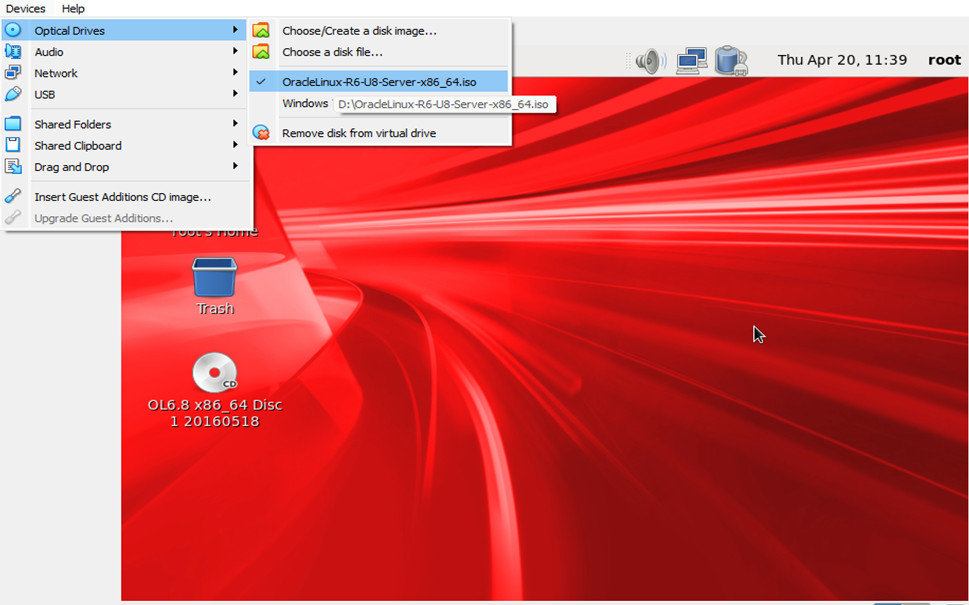
Let’s connect to the virtual machine through Putty or Mobaxterm or you can open terminal inside the virtual machine as per your convenience. I personally prefer Mobaxterm.
2. Install vsftpd rpm from the iso Packages.

Sometimes it is in location /run/media/root/
Install the vsftpd .rpm in iso Packages location. Just type rpm -ivh vsftpd[Press tab] it will take the full name automatically.

When this rpm is installed it will create a blank directory named pub in /var/ftp/pub
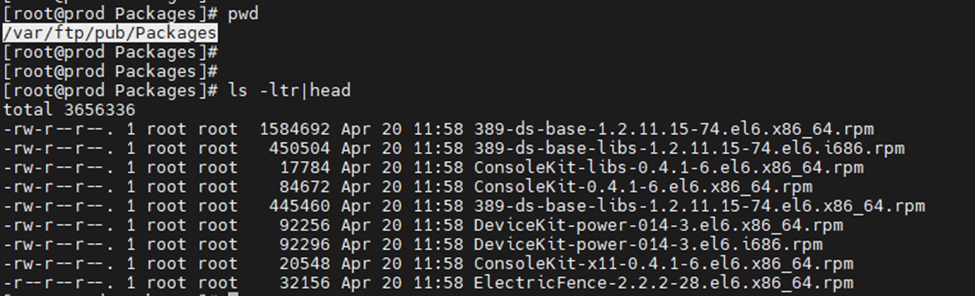
3. Copy the Packages from iso to /var/ftp/pub/Packages/

Type cp -r /media/OL[press tab]/Packages/ /var/ftp/pub/
As the name is complex of iso image file so pressing the tab button will take name automatically.
All the packages have been copied to the location we mentioned i.e. /var/ftp/pub/
4. Install createrepo .rpm from packages and Create repo in location /var/ftp/pub/
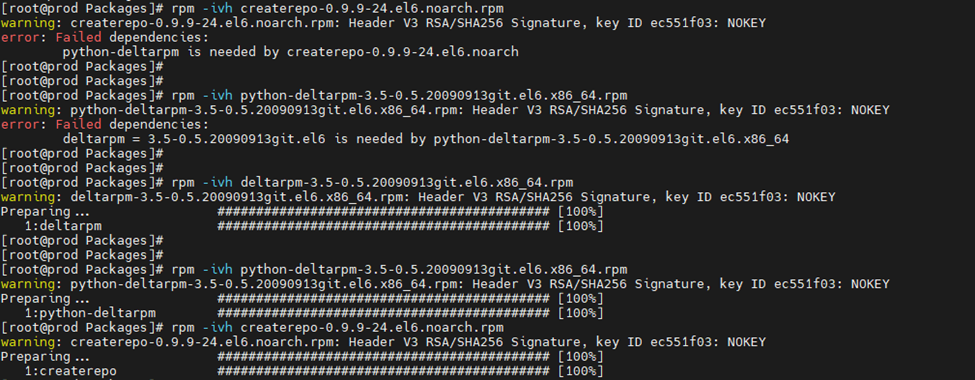
As you can see, when I tried to install createrepo .rpm from Packages directory it throws an error of dependency that means for installing this rpm we need to install another rpm which is mentioned in the error i.e. pyhton-deltarpm and for python it showed dependency of deltarpm.
So, I first installed the deltarpm then python-deltarpm and last createrepo.
Type the name of rpm and press tab it will take the full name automatically no need to type the whole thing.
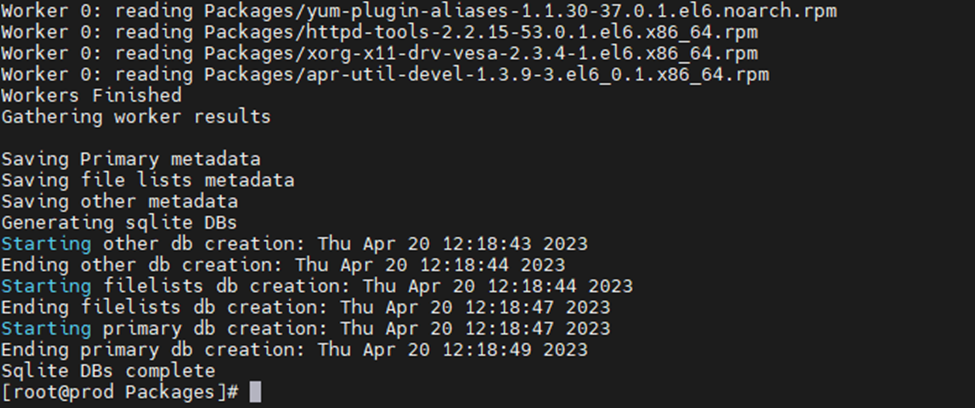
Now we will create a new repo with command: createrepo -v /var/ftp/pub/
Below is the output:

5. Create new repo file in location /etc/yum.repos.d/{any_name.repo} and add entry
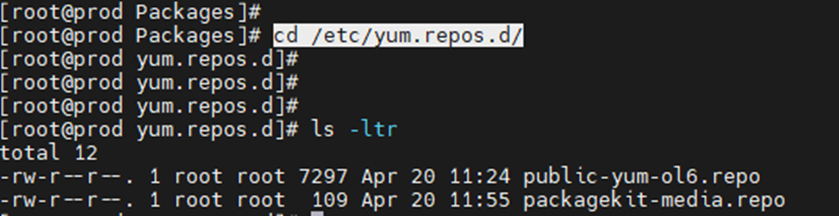
Here, we will create a new repo file with any name and add entry. I am using yum.repo here. In baseurl you need to put your system IP address.
[Server]
name=Server
baseurl=ftp://192.168.1.57/pub
gpgcheck=0
enabled=1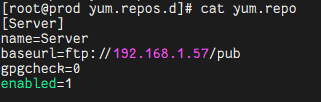
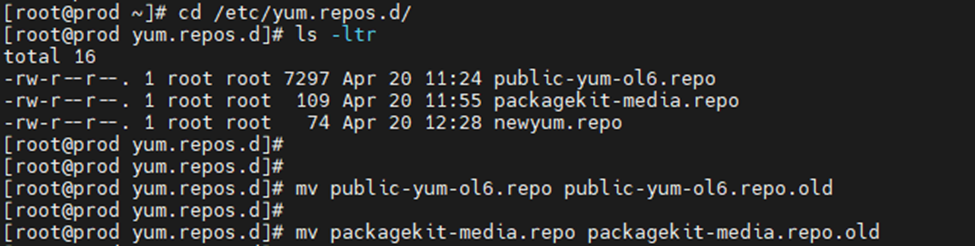
Note: You must rename the other files to .old except yum.repo because we will be using this.
6. Check and start the vsftpd and Clean & update the yum.
/etc/init.d/vsftpd status
/etc/init.d/vsftpd start

#{OR some Linux system support systemctl}#

systemctl start vsftpd
systemctl status vsftpd


systemctl enable vsftpd

or

Chkconfig vsftpd on


Yum clean all
Yum update
VSFTPD started and its service will auto restart whenever we boot the system.

Yum cleaned and updated.

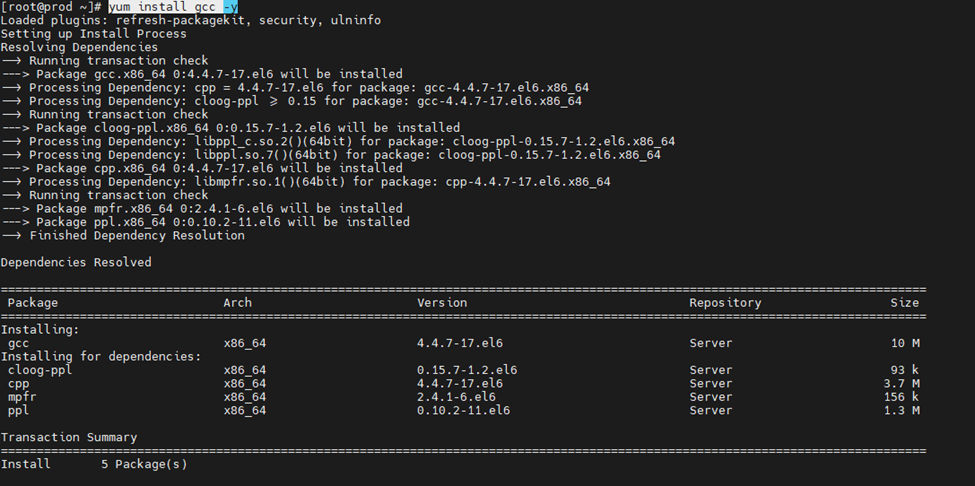
Now, we will try to install some packages that are required in oracle prerequisites installation. The benefit of yum is that it will install the dependent rpm’s automatically. We can use this yum repository to install rpm in other systems. We just need to copy the yum.repo file to different machine /etc/yum.repos.d/ directory.
As, you can see I tried installing gcc package it has successfully installed the packages and it checked & has installed the required dependent packages as well.
Enjoy…!!
Let me know if you have any queries related how to create local yum repository in Linux.